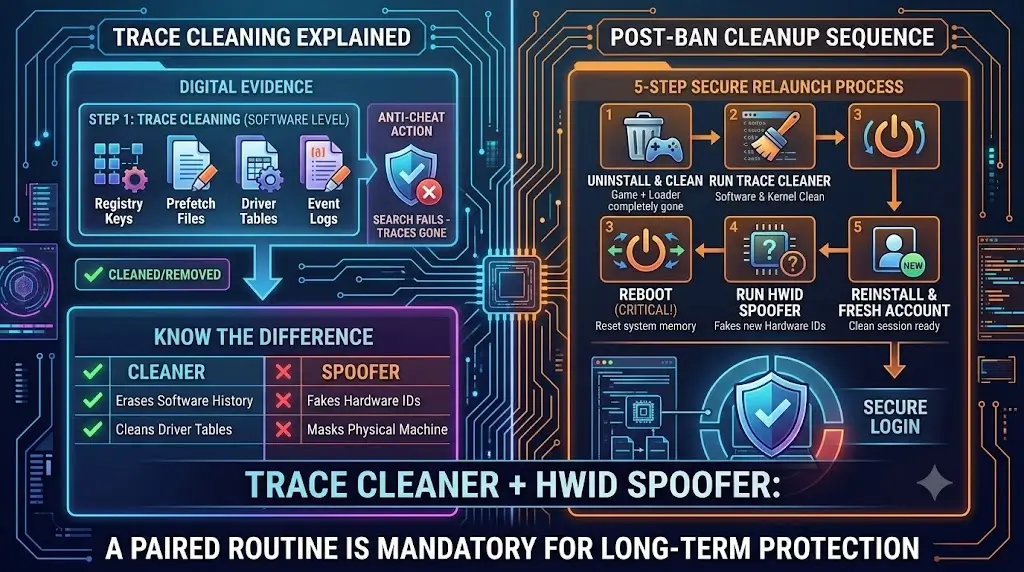
What traces actually are
When you run a game, the game leaves records of its presence on your machine. Registry keys, prefetch files, event log entries, driver load history. Normal software does this; it is not sinister. The problem arises when anti-cheat systems use those records to identify machines that were banned, even after the original account is gone and a new one is created.
The same applies to cheat software. A cheat driver that loads and then unloads does not disappear cleanly. Windows keeps tables of what has been loaded. The anti-cheat reads those tables. The record is still there, pointing at something that should not have existed.
Trace cleaning is the process of removing those records before the anti-cheat has a chance to read them on your next session. Not spoofing hardware. Not faking identifiers. Deleting the actual artifacts the system accumulated while you were running software you should not have been running.
Where they hide on your system
The last row is the one that catches people. A cleaner handles software artifacts. It cannot change what a hard drive reports as its serial number, what a network adapter reports as its MAC address, or what the GPU reports as its device ID. Those values sit in firmware. Cleaning registry keys and prefetch files does not touch them.
This is why trace cleaning and HWID spoofing are different tools, not interchangeable ones. One removes the paper trail. The other changes what the hardware says it is.
Cleaner versus HWID Spoofer: not the same thing
// WHAT EACH TOOL ACTUALLY DOES (AND DOES NOT DO)
TRACE CLEANER
HWID SPOOFER
The practical read is this: if you were banned and want to play again on the same machine, you need both. The cleaner removes the software trail that would link your new session to the banned one. The spoofer changes what hardware the anti-cheat sees, so the HWID ban that was recorded against your old hardware fingerprint does not match the new session.
Running only one of the two is what gets new accounts flagged within the first few hours. The cleaner without the spoofer means the hardware IDs still match the ban record. The spoofer without the cleaner means the AC sees clean hardware but finds driver history and registry artifacts pointing at known cheat tooling. Either path is enough for a fast re-ban.
ZhexCheats includes both a cleaner and an HWID Spoofer in full-tier builds. They run in sequence before you launch the game, not as a one-time-after-ban operation.
What anti-cheat scans for after a ban
When a fresh account joins a game from a machine that was previously banned, the anti-cheat does not start from scratch. It has a record of what the banned session looked like. The scan on the new session compares against that record.
BattlEye and EAC prioritize the kernel tables. PiDDBCacheTable and MmUnloadedDrivers are read early in the session, before the game is even fully loaded. If the cheat driver name or its compile-time hash appears in either table, the match is immediate. The ban lands before you reach the main menu. That is why cleaning those two tables is the highest-priority step, not an optional one.
Registry checks come next. Known cheat loader paths, service installation keys, and cheat configuration files all leave registry entries. A loader that installs itself as a Windows service for persistence is especially visible; the service key survives a reboot by design.
Vanguard extends the scan to TPM-based hardware attestation on Windows 11. That is outside what any cleaner can address, because the TPM endorsement key is hardware-burned and cannot be spoofed by software. For Valorant specifically, an HWID ban backed by a TPM record is categorically different from a BattlEye or EAC HWID ban. Physical hardware replacement is the only path off a TPM-based Vanguard ban.
The right order to clean
// POST-BAN CLEANUP SEQUENCE: RUN IN THIS ORDER
Uninstall game and cheat software completely
Do not clean first. Remove the software, then clean. Cleaning while files still exist leaves partial artifacts.
Run the cleaner (kernel tables + registry + prefetch)
Target locations in order:
HKLM\SYSTEM\CurrentControlSet\Services\ [cheat service keys]
HKCU\Software\ [game and launcher entries]
C:\Windows\Prefetch\ [cheat loader .pf files]
kernel: PiDDBCacheTable + MmUnloadedDrivers [needs driver-level cleaner]
Reboot (do not skip this)
PiDDBCacheTable and MmUnloadedDrivers are in-memory structures. They reset on reboot. If the cleaner wrote to them, the clean state only persists through the reboot.
Run the HWID Spoofer before reinstalling the game
Spoofer active before the game's anti-cheat driver loads. Do not launch the game first, then spoof. Order matters.
Reinstall game on a new account, verify clean session
New account. New email. Do not link the old account through any social login, launcher, or payment method the AC vendor could cross-reference.
The reboot step is the one most people skip and then wonder why the clean did not hold. Both PiDDBCacheTable and MmUnloadedDrivers are runtime kernel structures. A cleaner that patches them in memory is effective until the next reboot, at which point Windows rebuilds them from disk. If the cleaner did not also remove the on-disk sources before that reboot, the tables come back populated with the same data.
When cleaning alone is not enough
There are scenarios where a complete cleaning routine does not result in a clean session. Most of them involve one of three things: a ban that was already tied to hardware before you cleaned, a scan surface the cleaner does not cover, or a server-side fingerprint the AC vendor retained.
Vanguard with TPM attestation is the clearest example of the third category. When Riot records a ban, they store the TPM EkPub alongside the account and hardware fingerprint. That value is tied to the physical TPM chip, which cannot be changed by software. Even a perfect software clean, followed by a spoofer that changes every other identifier, still returns the same TPM EkPub. The ban matches.
The same logic applies to any anti-cheat that has moved beyond runtime hardware ID checks into cryptographic attestation. Cleaning handles the evidence on your machine. It cannot erase what the vendor's servers already recorded. For most games, those server-side records are limited to account-level data. For Valorant, the record extends to hardware. That is a meaningful distinction.
For Tarkov and PUBG, BattlEye's ban model stays closer to the software and HWID layer, which is why the cleaner-plus-spoofer combination holds up reliably on those titles. The HWID Spoofer article covers how spoofing works against BattlEye specifically, and why Tarkov's particular scan profile is one of the reasons the spoofer tier matters as much as it does on that game.
What to look for in a cleaner
A cleaner that only handles user-mode artifacts, registry keys and prefetch files, is doing about half the job. Kernel table cleaning requires the cleaner to run at kernel privilege level, which means it needs its own signed driver or a loader that can achieve kernel access. A cleaner without that cannot touch PiDDBCacheTable or MmUnloadedDrivers. Those two tables are what most modern anti-cheats actually check.
The other thing to verify is update cadence. Anti-cheat vendors change what they scan and where they look after every major patch cycle. A cleaner whose target list was written in 2023 may miss registry paths the AC added in 2025. Not because the cleaner is broken, but because no one updated its target list.
ZhexCheats bundles a maintained cleaner alongside the HWID Spoofer in full-tier builds. Both are updated on the same patch cadence as the cheat builds themselves. Running them as a paired sequence before each session, not just after a ban, is the approach that keeps new accounts clean over weeks rather than days. The ban history guide explains how to verify that a vendor's tools are actually being maintained before you commit to a subscription.
// More articles
 Game Hacking Guides
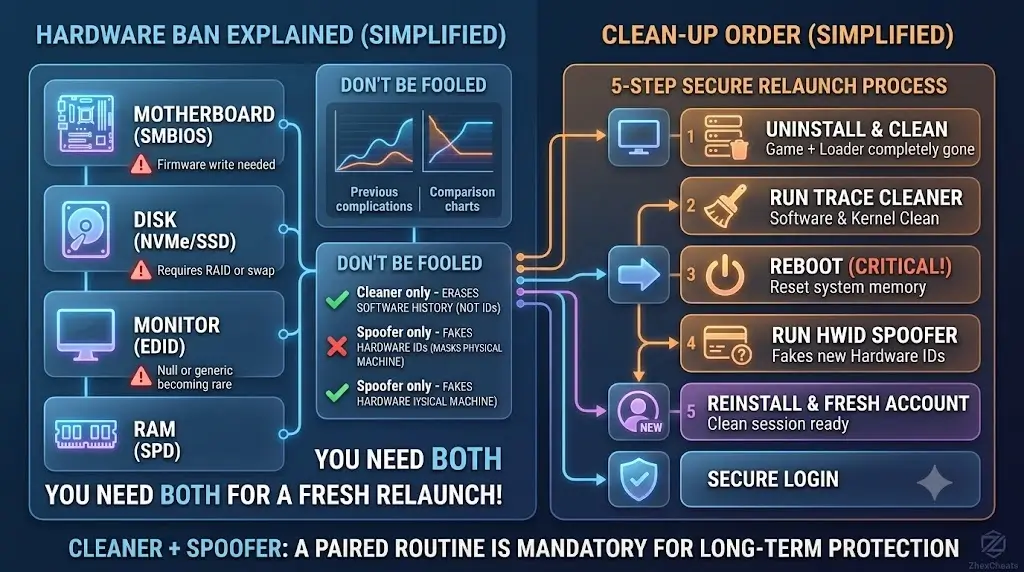
Hardware Bans Explained: Why a Software Spoofer Is Not Enough
A hardware ban fingerprints eight different components, from motherboard SMBIOS to monitor EDID. Here is what each layer actually checks and what closes the gap.
Jul 14, 2026Nathan ReedRead article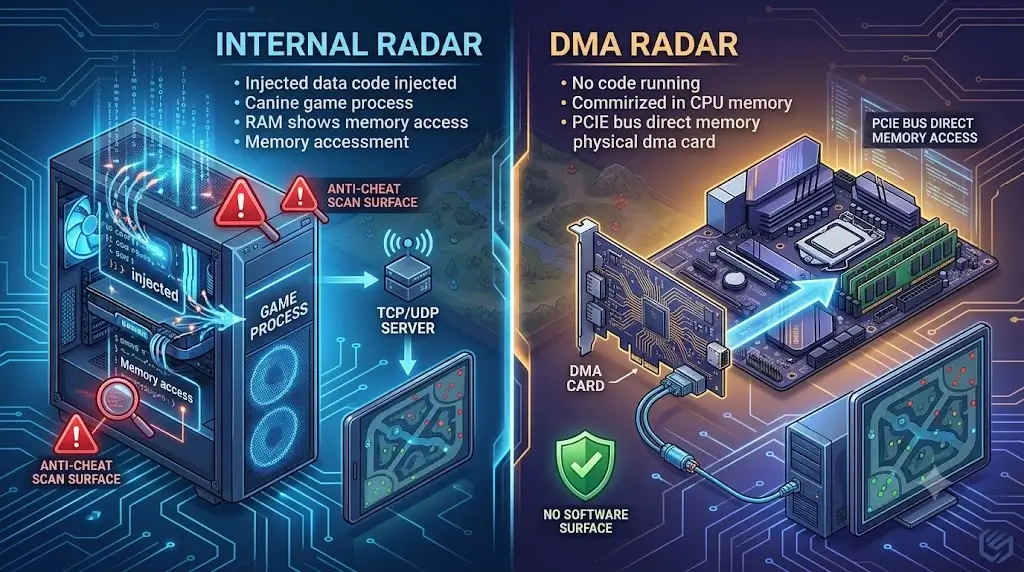 Game Hacking Guides
Radar Hack Explained: How the 2D Map Reads Every Player Position
A radar hack draws a second map that shows every player on the server in real time, without touching the game's renderer. Here is how it actually works.
Jul 12, 2026Nathan ReedRead article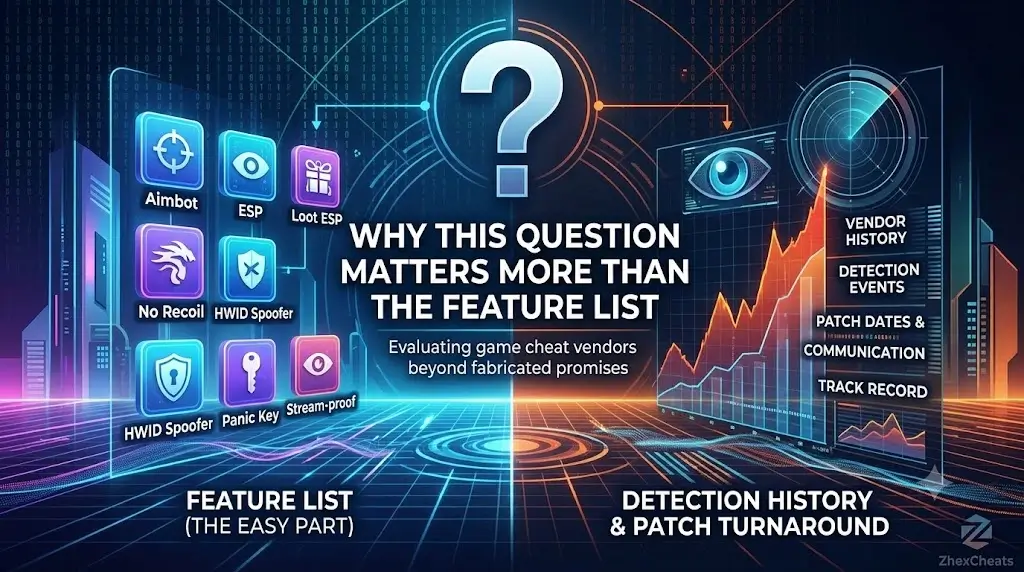 Game Hacking Guides
How to Read a Cheat Vendor's Ban History (And Spot Fake Logs)
Days-undetected counters, patch logs and testimonials are trivial to fake. The eight signals that separate real vendors from rebranders.
Jul 11, 2026Nathan ReedRead article Game Hacking Guides
Kernel Cheats Explained: What Ring 0 Means in 2026
Ring 0 is where anti-cheat lives. A cheat that stays in user mode is fighting from outside a locked room. Here is what kernel access actually means.
May 31, 2026Nathan ReedRead article